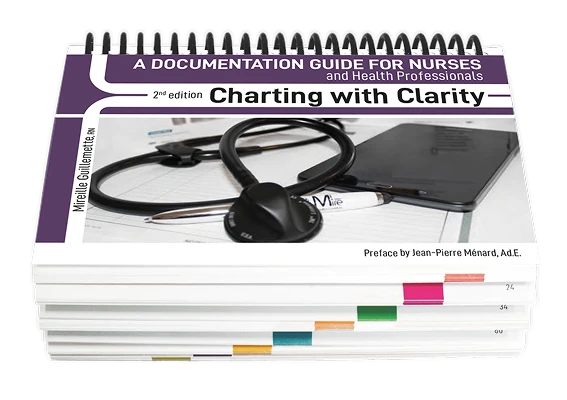

book
Visiting from Australia? Discover Charting with Clarity (Australian Edition)
Logo of Mire Formations

FAQ

You have some Questions ?

Here is the procedure To start your online training:

1- Go to the website https://mireformations.com/

2- Click on CONNECT ME (top right) / MY ACCOUNT / CONNECTION
Enter

Identity number The email address you used for your registration
Password Your password if you already chose one or Click on Lost password. (You then need to enter your email address. An email will be sent to you to reset your password. Didn't receive it? Check your spam folder.)
Then the green button CONNECT

3- You are now in your account. At the bottom of the page, Click on the training title, and you are now ready to begin.

Your certificate is issued as soon as all the sections are completed.
In case of any problems, please visit the FAQ page on my website. https://mireformations.com/faq/
For technical assistance or if you have questions about the subject matter of this training, you can contact me at info@mireformations.com or 581 996-3774
Good lesson!
All the content of this site is protected by copyright and commercial laws. It is forbidden to share your access link or any training document.

You have access to your online training for 6 months.

If you are in a particular situation and need an extended period of time, please let us know about your situation.

To access your certificate, you must complete all the modules and activities of the training.

Each module consists of videos to watch, quizzes to complete, and a final test to pass.

Your registration is refundable if the training has not started. You have a maximum of 14 days to request a refund.

An exchange is possible if your online training has not yet begun. Contact us to discuss it.

Help available

  1. Check if your question is listed in the FAQ section
  2. Texting to 581 996-3774 by indicating the title of your training and your contact details
  3. Contact us at 581 996-3774 or at info@mireformations.com Monday to Friday 8am to 9pm, Saturday 9am to 3pm

When you log in and enter your training, you see at the top: DOCUMENTS TO DOWNLOAD.

Then select the selected document by clicking on the DOWNLOAD button.

IMPORTANT: when you have downloaded your training document, click on "MARKED AS COMPLETE" at the bottom of the page

You are logged into your account, you have started your training, but the quizzes are not showing up.

  1. This problem is probably due to the fact that your web browser is not up to date. If you use Safari, Firefox or Explorer: update your browser OR download GOOGLE CHROME for free.
  2. You have watched the video for a chapter and the quiz that should follow it doesn’t appear, or the system doesn’t record the actions you have performed: the problem may be due to the fact that you haven’t accepted the *cookies.

Consent to the storage of cookies is a legal requirement in Canada. It is part of the regulations on privacy protection. When the pop-up appears, if you have not accepted it  The system can no longer function; it can no longer record the training steps you have completed.

* Cookies on a website are small text files stored on your device when you visit a site. They serve various purposes, such as remembering your preferences, tracking your activity, or improving the user experience. When you are prompted to accept cookies, this usually means that the site wishes to store these files on your device. You can choose to accept or reject these cookies based on your privacy preferences. Your profile does not appear to have any direct relationship with cookies, but I can provide you with more information if you wish.

You have completed a chapter or module of your online training, but you are having difficulties moving on to the next module? Here are two possible situations:

1. A quiz was not validated or a video was not viewed in its entirety. To proceed, check that all sections of the previous modules are clearly marked in green. You may need to retake a quiz that you failed.

2. The «Documents to Download» module, which is located first in your training, has not been marked as completed. To solve this problem, click on the «Documents to Download» module, then scroll down the page and click «Mark as completed» at the bottom.

You are a member of the OIIAQ and you have registered on the OIIAQ portal.

You have accessed your certificate, but your training hours are not showing on your portal? TWO POSSIBLE REASONS:

  1. Your training is not quite complete and we have therefore not received the notification that the training has been successfully completed. Please check that your online training is 100% complete. Did you miss marking the module “Documents to be downloaded” as completed?
  2. A maximum period of 7 to 10 days is required for your OIIAQ file to be updated.

You try to connect and the message “ACCOUNT BLOCKED” appears. You can no longer access the Mire Formation website on any of your devices.

Your IP address has been blocked on our website for security reasons; you have probably entered the wrong password a few times.

Send us an email indicating your IP address. This is a series of numbers that you will find by clicking on https://www.whatismyip.com/fr/ and we will be able to unlock your account.

Do you want personalized online training for your organization's members? We can help you create the training project that suits your needs.

Whether it’s by adjusting the number of hours or developing a completely new training program that will have a concrete impact.

You have come this far; I am not worried about you.

Help is available if you need it. If you feel like you’re getting stuck during registration, connection, or progress in your progress, don’t hesitate to contact us (stress hurts learning!).

Help available:

Check if your question is listed in the FAQ section

Texting to 581 996-3774 by indicating the title of your training and your contact details

Contact us at 581 996-3774 or at info@mireformations.com Monday to Friday 8am to 9pm, Saturday 9am to 3pm

All the training sessions are planned and organized to promote learning. Several videos (with an average duration of 10 to 15 minutes) and quiz games will allow participants to better integrate the learning content.

The online training site is easy to use. You can clearly see your progress, the modules that have already been completed and those that have not yet been started.

As soon as the modules and questionnaire games are completed, you will immediately have access to your certificate.

If you wish to review all or part of your training, you have access to it for a period of 3 months.

As soon as you have paid for your training, you will have immediate access to it.

To start your training, it's as simple as 1-2-3!

1- Click on "MY ACCOUNT" at the top right of the screen,

2- Enter your ID and password,

3- Click on Your/ Your training.

I watched the video of my online training, but the system doesn’t record it; I don’t have access to the follow-up. Several possible causes:
1- Have you accepted the COOKIES? If you have refused, the system cannot track you and give you access to the follow-up of your training.
2- Problems are sometimes encountered with the use of certain web browsers. I recommend using Google Chrome and updating the device you are using.
3- If you open another web window while watching a video, the system detects this action and does not record the viewing.
4- A too weak internet connection can also create this kind of problem.

Yes. We have carefully adapted the terminology (RN/EN titles), used the Australian drug nomenclature, the metric system and the 24-hour clock. It is fully compliant with Australian hospital environments.

Absolutely. Consider ISBAR as the envelope and our method as the letter. We teach you how to write high-quality clinical data that makes your ISBAR report professional and legally defensible.

Mireille’s expertise in digital health ensures that the examples are optimized for a digital environment — by prioritizing accuracy and conciseness to avoid «data overload» and information fatigue.

This book is designed for registered nurses and nurses licensed to practice, nursing students, and healthcare professionals who wish to strengthen their skills in clinical documentation and protect their right to practice.

You will learn to write clear, precise, and defensible nursing notes that reflect clinical reasoning, professional judgment, and accountability in everyday practice.

Absolutely. Readers report an increased confidence in their record-keeping, decision-making, and ability to justify their clinical actions.

Yes. Fill in the form below. To order the guide, see the product page.

Yes. Fill in the form below. To order the guide, see the product page.

Yes. The examples favour accuracy and brevity in any system.

Yes. The examples favour accuracy and brevity in any system.

Both. The CNO standard applies to NPs, RNs and RPNs, and the method is the same for BScN and Practical Nursing students.

The method is useful for both BN and Practical Nurse students. LPNs follow the standards of the Association of New Brunswick Licensed Practical Nurses.

Yes. The documentation principles are the same in both provinces. Quebec-specific references, such as the nursing therapeutic plan, are presented as examples of good practice.

Yes. The two provinces' standards share the essential requirements: frequency of entries based on the client's condition, approved abbreviations, transferring temporary documents to the record, late entries and corrections. Quebec-specific references, such as the nursing therapeutic plan, are presented as examples of good practice.

It teaches the core principles of the CNO's Documentation practice standard: communication, documentation requirements and information security. It is not an official CNO publication.

It teaches the core principles of New Brunswick's Standards for Documentation : communication, accountability and responsibility, and security of information. It is not an official publication of the College of Nursing of New Brunswick (formerly NANB).

Training accredited by

Perform a search: